Skip to content

Cart

Your cart is empty

Article: Can You Put Audio Guestbook Recordings From Any Company on Vinyl?

Can You Put Audio Guestbook Recordings From Any Company on Vinyl?

Can You Put Audio Guestbook Recordings From Any Company on Vinyl?

You rented an audio guestbook for your wedding. Your guests picked up the phone, left their messages, and gave you a collection of voices and memories from the celebration.

Now the wedding is over, and you have the recordings.

Maybe they arrived in an email. Maybe you downloaded them from your audio guestbook provider. Or perhaps you purchased your own recording telephone and transferred the files to your computer.

You've been thinking about turning those messages into a vinyl record.

But there's one question: Do you have to use the same company that recorded the messages?

No. Your wedding recordings aren't limited to becoming a keepsake through the company that originally collected them.

If you have access to usable audio files, you can explore creating a personalized vinyl record through Black Label Vinyl, regardless of which audio guestbook company or device you used.

Here's what you need to know about file formats, downloads, recording quality, and turning those existing wedding messages into something you can play for years to come.

Can Audio Guestbook Recordings From Another Company Be Put on Vinyl? 

Yes. Audio guestbook recordings from another company can be turned into a playable vinyl record, as long as you can obtain usable audio files in a compatible format.

Black Label Vinyl accepts MP3, WAV, and M4A audio files.

Your recordings may have come from a rented wedding audio guestbook, a telephone-style recording device you purchased, a DIY setup, or another digital recording method.

What matters is the audio itself.

You don't need to have used a specific audio guestbook provider, and you don't need to rent or purchase another recording device.

The basic process is straightforward: retrieve your existing recordings, choose the messages you want to preserve, organize their playback order, and use those files to create a personalized record.

There are a few practical details to check first, especially how your provider delivers the recordings and whether you have the actual downloadable files.

Once those details are handled, your guests' messages can become the soundtrack of a keepsake that's entirely your own.

A vintage-style white rotary telephone with chrome metal accents, displayed on a textured white surface with a softly blurred decorative background and a glowing sign reading 'LEAVE MESSAGE'.

You Don't Have to Use the Original Audio Guestbook Company 

Audio guestbook companies provide a wonderful way for wedding guests to leave personal messages.

Some specialize in vintage telephone rentals. Others offer modern recording devices, digital voicemail services, or packages that include edited audio files.

Those services handle the recording experience.

But once you've received usable copies of your recordings, you may have more options for preserving them.

For example, your audio guestbook provider might offer a downloadable folder of individual guest messages. You could keep those files digitally, share them with family, include them in a wedding video, or use selected recordings to create a custom vinyl record.

Black Label Vinyl creates personalized records using customer-provided audio.

That means we don't need to have supplied the audio guestbook or been involved in your wedding.

We simply need compatible, accessible recordings and your choices for how the finished record should be organized and personalized.

If your original provider offers an online listening page rather than downloadable files, check whether you can obtain the recordings directly.

The important distinction is having the actual audio files—not just a link where you can listen to them.

If you're unsure what your provider has supplied, start by checking the download information that came with your wedding recordings.

How to Get Your Wedding Audio Guestbook Recordings 

Most audio guestbook providers explain how you'll receive the recordings after your event.

Depending on the service, you might receive an email with a download link, access to an online account, a compressed folder containing individual recordings, or a single edited audio compilation.

If you haven't downloaded your messages yet, start with the original confirmation or delivery email.

Look for instructions about accessing or saving your audio files.

If you can download individual recordings, save them all before making any changes.

If your provider supplied one continuous audio file, keep that original version too.

You can also contact the provider and ask whether downloadable copies are available.

A simple question is often enough:

“I'd like to keep a copy of my wedding audio guestbook recordings for a personal keepsake. Can you provide the original audio files or a downloadable audio compilation?”

Before using recordings outside the original service, review any applicable usage or download terms.

Once you've received the files, save a backup in a secure location.

You can then start choosing which voices and messages you'd like to include on your record.

Black Label Collection

Make It Completely Yours 

There are several ways to turn a folder of wedding recordings into something you'll actually enjoy revisiting.

THE VOICES 

Save the messages from parents, grandparents, friends, and guests who made your wedding memorable.

THE PHOTOGRAPHS 

Pair favorite recordings with photographs from your ceremony, reception, and time spent with family.

THE STORIES 

Organize the funny moments, heartfelt advice, and personal messages into a collection that tells the story of your celebration.

Close-up of a record player cartridge on a yellow turntable

THE KEEPSAKE 

Choose how you want to revisit those memories-through a video, digital collection, photo project, or personalized playable vinyl record.

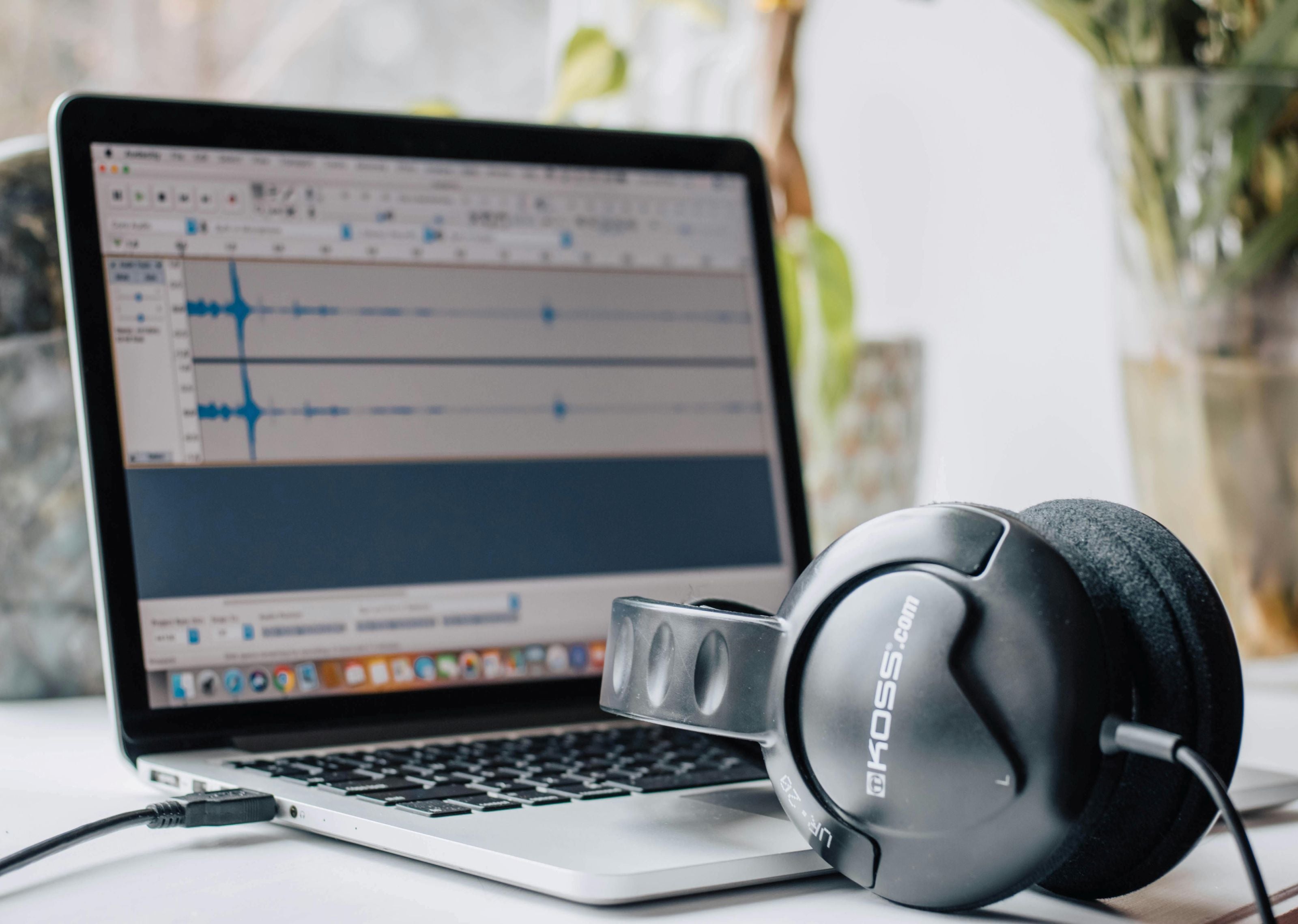
Laptop with music production software and a pair of headphones on a desk.

What Audio File Formats Can Be Used for a Vinyl Record? 

Black Label Vinyl accepts three common audio formats: MP3, WAV, and M4A.

These formats are frequently used for digital voice recordings, including wedding audio guestbooks.

MP3 files are widely supported and easy to share. Many recording services use MP3 because the files are relatively small.

WAV files are often larger and may preserve more of the original audio information, depending on how they were recorded and exported.

M4A files are another common digital audio format, especially when recordings have been saved using certain phones or software.

You don't need to understand every technical detail to get started.

Look at the filename extension of the recordings you've downloaded. A file ending in .mp3, .wav, or .m4a is in one of the formats Black Label Vinyl accepts.

If your provider delivered recordings in another format, ask whether they can supply an MP3, WAV, or M4A version.

Avoid repeatedly converting audio between formats if you can obtain the original recording.

Converting a low-quality recording to WAV, for example, doesn't automatically restore audio detail that wasn't captured in the first place.

For a broader explanation of digital audio and custom records, read How to Convert Digital Music Into a Vinyl Record.

Does It Matter Whether You Rented or Purchased the Audio Guestbook? 

No. The way you obtained the recording device doesn't determine whether the messages can be used for a custom vinyl record.

What matters is whether you can retrieve compatible audio files.

Rented audio guestbooks: If a rental provider delivered downloadable recordings after your wedding, those files may be suitable.

Purchased audio guestbooks: If you bought a telephone-style recording device, you may be able to retrieve the saved messages directly from the device or its storage system.

DIY audio guestbooks: If you assembled your own recording setup, the files may already be saved on a memory card, computer, or other storage device.

Digital voicemail guestbooks: If guests left messages through a phone-based or online service, check whether the provider allows you to download the audio.

Each recording setup is a little different.

Some provide individual files. Others combine everything into one long recording.

Either can be a starting point, provided the audio is accessible and suitable for use.

The next step is choosing which messages belong on the finished record.

Will Audio Guestbook Recordings Sound Good on Vinyl? 

Wedding audio guestbook recordings can work well on a custom vinyl record, but the result depends on the quality of the original audio.

Remember that wedding receptions are lively places.

Your recordings may include background music, laughter, people talking nearby, or a guest speaking softly into the telephone.

Some of that atmosphere is part of what makes the recordings special.

A little background noise doesn't necessarily make a message unusable.

However, recordings that are extremely quiet, distorted, clipped, or difficult to understand may need additional attention.

Before selecting your final messages, listen to the files using headphones or good speakers.

Pay attention to whether the speaker's voice is clear and whether any background sound overwhelms the words.

If the recordings need improvement, basic audio editing may help adjust levels or reduce certain types of unwanted noise. It cannot guarantee that badly distorted or missing audio can be restored.

For the best starting point, use the highest-quality original files available rather than repeatedly exported or compressed copies.

A vinyl record preserves the character of the supplied recording; it doesn't automatically transform a poor recording into studio-quality audio.

Often, the authentic sound of a familiar voice matters more than perfect production.

Can You Choose the Order of Your Wedding Guest Messages? 

Yes. When creating a personalized vinyl record, you can choose which recordings to include and how they should play.

You don't have to keep the order in which guests originally picked up the audio guestbook telephone.

Some couples prefer to preserve the natural sequence of the reception.

Others like to create a more intentional listening experience.

For example, Side A might begin with messages from parents and grandparents, followed by siblings and close relatives.

Side B could feature the wedding party, friends, funny stories, and congratulations.

Another approach is to separate heartfelt recordings from lighthearted messages.

You could also arrange the voices to tell a story, beginning with wedding-day wishes and ending with meaningful advice for the future.

There's no single correct order.

The most important thing is that the finished record sounds personal to you.

If you're working with a large collection, make a simple list of the recordings you want and the order in which you'd like them played.

That list will help you organize Side A and Side B while keeping track of the total runtime.

A vintage-style chrome rotary telephone sits on a black table beside a clear acrylic sign reading 'LEAVE A MESSAGE' and a floral invitation card in a softly lit indoor setting.

How Many Audio Guestbook Recordings Can Fit on One Vinyl Record? 

The number of messages depends on their combined length, not simply how many individual files you have.

Black Label Vinyl's 12-inch records can accommodate up to approximately 22 minutes of audio per side, for a maximum of approximately 44 minutes across both sides.

When possible, around 18 minutes per side is preferred.

For example, a collection of short 30-second guest messages may allow you to include quite a few different voices.

But if several guests left three- or four-minute recordings, you'll reach the runtime limit much sooner.

You can decide which messages are most important, remove unnecessary silence from copies of the recordings, or organize the collection across multiple records if needed.

It's also possible to combine guest messages with compatible recordings of wedding vows, speeches, or toasts, provided the total audio fits.

You don't need to fill every available minute.

A carefully selected collection of meaningful messages often creates a better listening experience than trying to squeeze every recording onto one record.

For a detailed walkthrough of choosing files, organizing the sides, and planning your record, visit How to Turn Your Audio Guestbook Messages Into a Vinyl Record.

Personalize the Record With Your Wedding Photos and Details 

The audio may have come from another company, but the finished vinyl record can still be completely personalized for your wedding.

You can use favorite photographs, your names, your wedding date, and custom artwork to create a record that feels like it belongs in your collection.

Some couples prefer a classic album-cover design featuring their wedding portrait.

Others use a candid photograph from the reception or a picture of the people whose voices appear on the record.

Black Label Vinyl offers several record styles, including classic black and clear vinyl, Studio Color options, and Picture Vinyl.

The jacket and center labels can also be personalized.

For example, you might title the album Voices From Our Wedding Day or Messages From the People We Love.

Side A and Side B can have their own labels, and the jacket can feature the photographs and details that best represent your celebration.

The result is a physical wedding keepsake that combines your original recordings with a design created specifically for you.

You don't need the original audio guestbook provider to create the artwork or the record.

A bride in a white lace wedding gown holding a floral bouquet and a groom in a bright blue suit embracing on a rocky ocean shore at sunset.

How to Turn Recordings From Another Audio Guestbook Company Into Vinyl 

Once you have your recordings, the process is easier than you might expect.

Step 1: Download your audio guestbook files.

Retrieve the recordings from your provider, purchased device, or DIY setup. Save the originals in a secure location.

Step 2: Check the audio format.

Make sure your files are MP3, WAV, or M4A. If they aren't, see whether your provider can supply a compatible version.

Step 3: Choose your favorite messages.

Listen through the collection and select the recordings you want to preserve on vinyl.

Step 4: Plan Side A and Side B.

Organize the messages into your preferred playback order and check the total runtime for each side.

Step 5: Personalize your record.

Choose your vinyl style and artwork. You can incorporate wedding photographs, names, dates, and other meaningful details.

Step 6: Submit your audio and customization details.

Provide the compatible recordings and your selections through Black Label Vinyl's custom record ordering process.

The finished result is a real, playable vinyl record featuring the voices you already captured on your wedding day.

You don't need to repeat the recording process or purchase another audio guestbook.

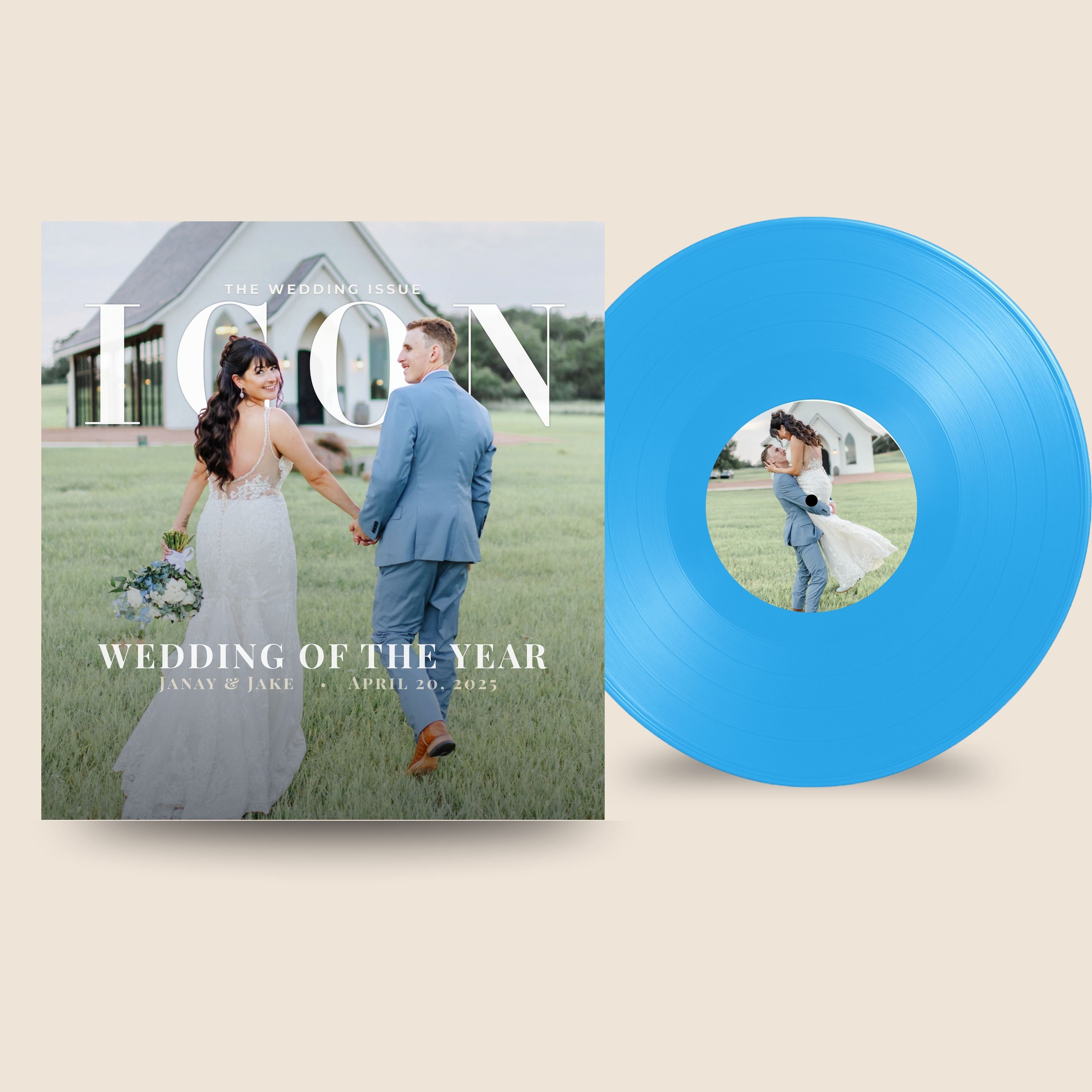
Vinyl record with a couple on the cover and a magazine featuring the same couple.

Your Wedding Recordings Can Become Something More 

Your audio guestbook company helped you capture the voices.

Now you get to decide what happens to them.

Those messages can stay safely backed up on your computer. You can share them with family, revisit them on anniversaries, or incorporate them into your wedding video.

But if you'd love a physical keepsake you can take off the shelf and actually play, those same recordings can become a personalized vinyl record.

It doesn't matter whether the messages came from a rented vintage telephone, a purchased recording device, or a DIY audio guestbook.

What matters is having the voices you want to preserve.

Black Label Vinyl creates custom, playable records from compatible audio files and offers personalized artwork to make the finished album uniquely yours.

ALREADY HAVE YOUR WEDDING AUDIO GUESTBOOK RECORDINGS?

LEARN HOW TO TURN THEM INTO A VINYL RECORD

You already have the recordings. The next chapter is deciding how you'd like to hear them again.

Create My Own Record

Audio Guestbook Vinyl Record FAQ 

1. Can I turn audio guestbook messages into a vinyl record?

Yes. If you already have usable audio guestbook recordings, you can create a personalized, playable vinyl record using those existing audio files.

2. Can I use recordings from any audio guestbook company?

Yes. Black Label Vinyl does not require your recordings to come from a particular audio guestbook provider. Compatible audio files from another company can be used.

3. Can I use recordings from an audio guestbook I purchased myself?

Yes. Recordings from a purchased audio guestbook can be used as long as you can retrieve the files in a compatible format.

4. Can DIY audio guestbook recordings be put on vinyl?

Yes. Recordings captured using a DIY audio guestbook can be used if the audio files are accessible and usable.

5. What audio file types can I use?

Black Label Vinyl accepts MP3, WAV, and M4A audio files.

6. How many audio guestbook messages fit on a vinyl record?

It depends on the length of the recordings. A 12-inch record can accommodate up to approximately 22 minutes per side, with around 18 minutes per side preferred when possible.

7. Can I choose which messages go on the record?

Yes. You can select the messages you want to include rather than using every recording from your audio guestbook.

8. Can I choose the order of the recordings?

Yes. You can organize the selected recordings into your preferred playback order on Side A and Side B.

9. Can wedding speeches and vows be included too?

Yes. Compatible recordings of wedding vows, speeches, toasts, and other spoken messages can be included, subject to the available runtime.

10. Can I use my wedding photos for the record artwork?

Yes. You can personalize the record jacket and labels with wedding photographs. Picture Vinyl also allows a photograph or custom design to appear directly on the playable record.

11. What if my audio guestbook recordings are too long for one record?

You may need to select certain messages, shorten unnecessary silence, reorganize the audio, or consider additional records depending on the total runtime.

12. Can I make a vinyl record months or years after my wedding?

Yes. You can create a record after your wedding as long as you still have usable audio files from the celebration.

13. Do I need to have used a particular audio guestbook company?

No. Black Label Vinyl can use compatible recordings from rental providers, purchased audio guestbooks, and DIY recording setups.

14. Can voice recordings and music be included on the same custom record?

Yes. Spoken recordings and music can be included on the same record when compatible audio is provided and the total runtime fits within the record's limits.

Continue Creating Your Audio Guestbook Record

Need a little inspiration before you begin? Explore our guides and tools for choosing your songs, creating personalized artwork, selecting your record style, and turning your favorite memories into a one-of-a-kind gift.

Helpful Resources

Plan Your Soundtrack

Create & Personalize

Explore Record Styles

Helpful Tools